netplan Not Going To Plan…

With a /etc/netplan/00-global.yaml having the following contents:

network:
  version: 2
  renderer: networkd

And all other .yaml files in the /etc/netplan directory not having an explicit renderer, the system should default to networkd… Just netplan apply and done! Simple, right?

Yeah, right.

Seems like netplan apply still thinks to use NetworkManager even when no single .yaml file declares its use; and since I disabled and masked the service, netplan apply was complaining NetworkManager was masked.

The secret sauce?

Continue reading

update-initramfs Couldn’t Identify Root File System for fsck Hook…

Well, as the title implies, I was running update-initramfs -u on my Ubuntu installation after having (i) duplicated the SSD from another existing system, and (ii) having rebuilt a kernel driver (which then required the aforementioned update-initramfs command).

Unfortunately, the command threw back a “W: Couldn't identify type of root file system for fsck hook” error…

Continue reading

x11vnc Copy-and-Paste…

To prevent typos and OS line break-type kerfuffles, I typically copy files instead of copy-pasting any files’ contents across VNC sessions.

Somehow, I came across wanting to just copy-paste a file via a VNC session, which used to work ye long ago… But it just was not happening…

Diving into the ‘net for answers, I came across autocutsel… Although some places stated to use xstartup files, as I was using x11vnc, this was not possible, so I simply ended up creating a services file (with a dependency on the x11vnc service):

Continue reading

The Qotom C3758R Unit Continued…

Just a quick update on networking experiences with this fanless (but hot) unit…


Why Is It Not In Sync? (buy buy buy)…

For some odd reason, throughput on stock Ubuntu 24.04 LTS via a 10GbE SFP+ module was showing asymmetrical speeds on iperf3 – ~10Gbps in, but only ~6Gbps out. Checking the firewall, ensuring jumbo packets (9000 byte MTU), ensuring ufw was disabled, disabling all forms of NIC offloading (although this may actually be inverse to the intended) did not change anything. Furthermore, htop showed one core constantly maxing out when sending (but hovering 60% to 75% on receiving).

Continue reading

10GbE and Jumbo Packets…

For the longest time, I was painfully aware that I was not utilising my 10GbE network switches and NICs to its fullest.

Having to finally sit down, build, test and optimise a software firewall using 10GbE interfaces for some organisation I volunteer at and therefore having to test it in my home lab, I finally was “forced” to sit down and “optimise” my local home lab.

An iperf3 test was not showing good numbers – bouncing around the ~8Gbps mark on a 10Gbps network.

Without fluffing around with kernel and IP stack tweaks, I was aware the easiest way to eke out better performance was to increase the MTU…

Continue reading

Crashing Ubuntu Desktop “System Settings”…

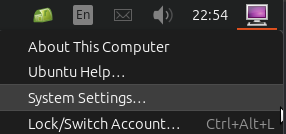
Attempting to get to the “System Settings” “control panel” of Ubuntu desktop on my Server 24.04 LTS installation, I discovered clicking on the “System Settings…” option from the “desktop” bottom (typically top-right corner) did absolutely squat.

After rooting around online, I finally realised that I had been over-zealous in “cleaning out”/uninstalling unneeded apps and libraries – or so I thought was “unneeded”.

Turns out that the audio libraries, even on an “audio-less” server, are still required!

A quick apt reinstall ubuntu-desktop-minimal fixed things right up!

Secure Boot Shim-anigans Ahoy!

So, I had to purchase a new laptop for someone, and as per usual, it came with the entire SSD capacity allocated, which I still feel is bad practice – specifically ensuring there is unallocated space that the drive firmware knows about, assuming TRIM is supported by both OS, controller and drive, (which, AFAIK, all “modern” OS and hardware do) to improve the drive’s wear-leveling ability and thereby extending the SSD’s lifespan.

To do so, I use a “rule of thumb” to leave ~20% of unpartitioned space – at the “end” of the disk (from a “logical” view of the partition table, regardless MBR or GPT). Usually, I simply use a “multi-boot” USB stick created using YUMI or Ventoy (the former now looking like a “wrapping” of the latter in its latest “exFAT” variant).

Aware of the shenanigans/rain dance required to make UEFI secure boot work from such bootloaders, like hundreds of other times (but never done for awhile), I simply (1) disabled CSM in BIOS, (2) enabled secure boot (and rebooted), (3) manually loaded the ENROLL_THIS_KEY_IN_MOKMANAGER.cer into the key store via BIOS from the prepared Ventoy USB disk…

I then confidently rebooted the laptop, pointing to the USB UEFI as the boot device, then ran headlong into the wall with a sickening SMACK. The wall was black, with only the words “Verifying shim SBAT data failed: Security Policy Violation” emblazoned across the top…

Attempting to fix this on this “new” laptop took me off on tangent, wasting nearly a half day trying to research and resolve… Hopefully this helps someone else with the “summary” below, assuming you have a working Linux system that can mount the USB device’s bootloader (i.e. EFI partition), since Windows cannot (without jumping through hoops)…

Continue reading

CPanel Email Filters

As part of managing my own web presence, including a hosted email server with limited users (both in numbers and geography), I tend to try and cut large swathes of spam by simply “binning” any emails that have any association with specific TLDs, like .ru or .us or .cn– whereby I know that my users and I have no legitimate reason to receive any email coming from those TLDs or passing through servers using any such TLDs.

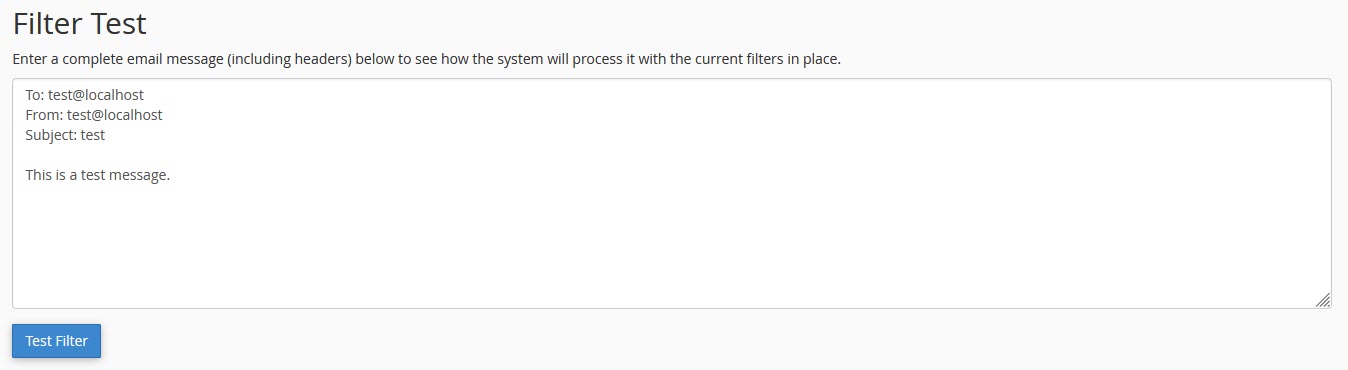
However, it came to pass that some ham were getting caught, but simply looking at the email headers was not helping. Using CPanel’s in-built testing tool was helpful in surfacing which of my rules was triggering the spam trap, but not exactly why (or what part of the email was triggering it).

The triggering rule looked like regex, so I immediately tried to hunt down converted/parsed file to try and copy the rule in converted regular expression form.

Attempting to poke at the ~/.cpanel/filter.yaml and ~/.cpanel/filter.cache and even the /etc/vfilters/<domain> did not turn up the regular expressions I was looking for.

In desperation, I took a quick look at the CPanel test tool results and decided to just copy the regex shown outright…

Unfortunately, pasting that regex directly into a regex test tool did not work…

Continue reading

ZFS Whole Disk vs. Partition…

So, with the latest replacement of disks in my RAIDZ2, I used zpool replace <pool> <old ID> /dev/sdx. Previously, while replacing with like-sized drives, it was not an issue (unless your replacement drives had “less space”).

But using the new 16TBs, I realised that ZFS decided to create one single honking 16TB partition (and a “partition #9” 8MB “buffer”), instead of matching the required 6TB and leaving empty space for future use, even when the pool had “autoexpand=off“.

So I should have replaced using a manually created partition instead of assigning the whole disk…

Sigh… Let’s see what we can do…

Continue reading