In an attempt to get some AMD iGPU accelerated apps to run via Ubuntu LTS on WSL2, I had rebuild my Ubuntu LTS “VM” under WSL2.
- I had to first remove the existing Ubuntu LTS (named “UbuntuLTS”):
wsl --unregister UbuntuLTS
WARNING: Although multiple sources state that the source .vhdx file does not get deleted, it actually does get deleted for me! 🙄
- I re-downloaded the .wsl file directly from Ubuntu, then installed the VM manually:
wsl --install --from-file "ubuntu-24.04.4-wsl-amd64.wsl" --name UbuntuLTS --location "D:\WSL\UbuntuLTS" --no-launch
Note that if you have Docker already installed, the default “distro” WSL2 may have been set to Docker’s
docker-desktop:
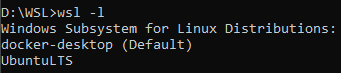
- set the correct default:
wsl --set-default UbuntuLTS
- run
wsl.exeand it will launch into the newly created distribution, set a new (default) user and password… and ignore the stupid<3>WSL (299 - Relay) ERROR: operator():579: getpwuid(1000) failederror 🙄- NOTE: the error will “go away” after a
wsl --shutdownand restart…
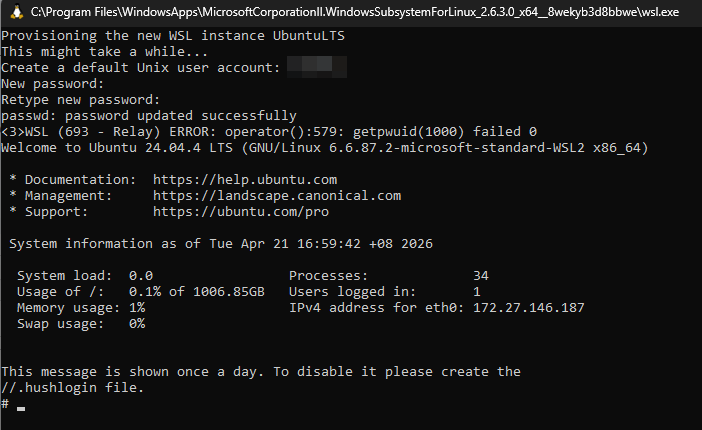


- NOTE: the error will “go away” after a
- turn on the integration in Docker again… and watch errors pop up…
An error occurred while running the command. DockerDesktop/Wsl/ExecError: c:\windows\system32\wsl.exe -d -e sh -c cat - > ~/.docker/config.json: exit status 1 (stderr: , wslErrorCode: DockerDesktop/Wsl/ExecError)
- turns out Docker 4.48 doesn’t play nice with the newer
.wslrepacked distributions (I previouslywsl --import‘d from a cloud image i.e.wsl)…
--import UbuntuLTS --location D:\WSL\UbuntuLTS ubuntu-noble-wsl-amd64-wsl.rootfs.tar.gz
--version 2
- deleting/unregistering the distro, upgrading Docker (to 4.70) and re-creating the distribution went smoothly this time around…
