netplan Not Going To Plan…

With a /etc/netplan/00-global.yaml having the following contents:

network:
  version: 2
  renderer: networkd

And all other .yaml files in the /etc/netplan directory not having an explicit renderer, the system should default to networkd… Just netplan apply and done! Simple, right?

Yeah, right.

Seems like netplan apply still thinks to use NetworkManager even when no single .yaml file declares its use; and since I disabled and masked the service, netplan apply was complaining NetworkManager was masked.

The secret sauce?
Continue reading

Forcing Graphics Mode/s on Ubuntu…

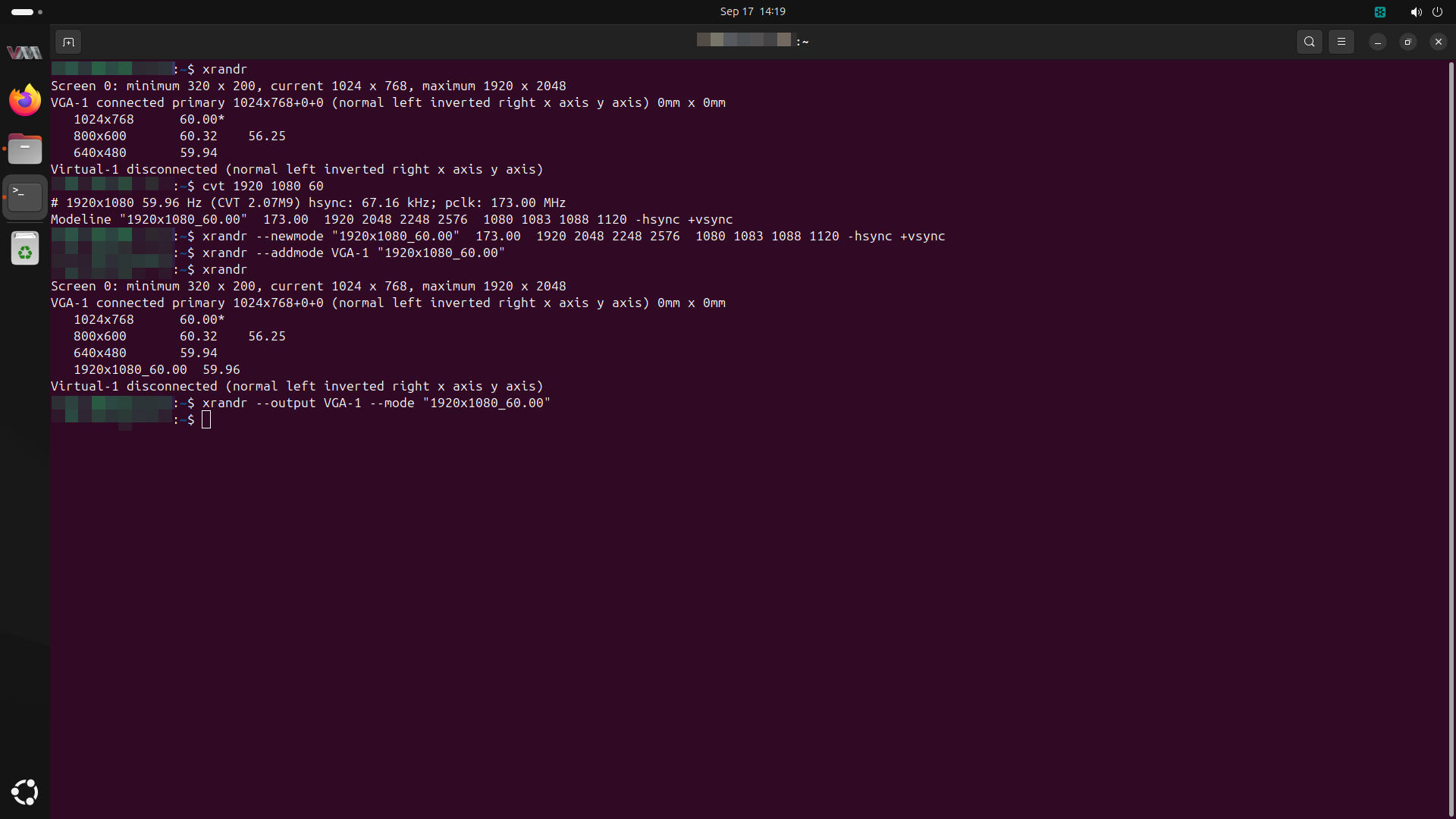
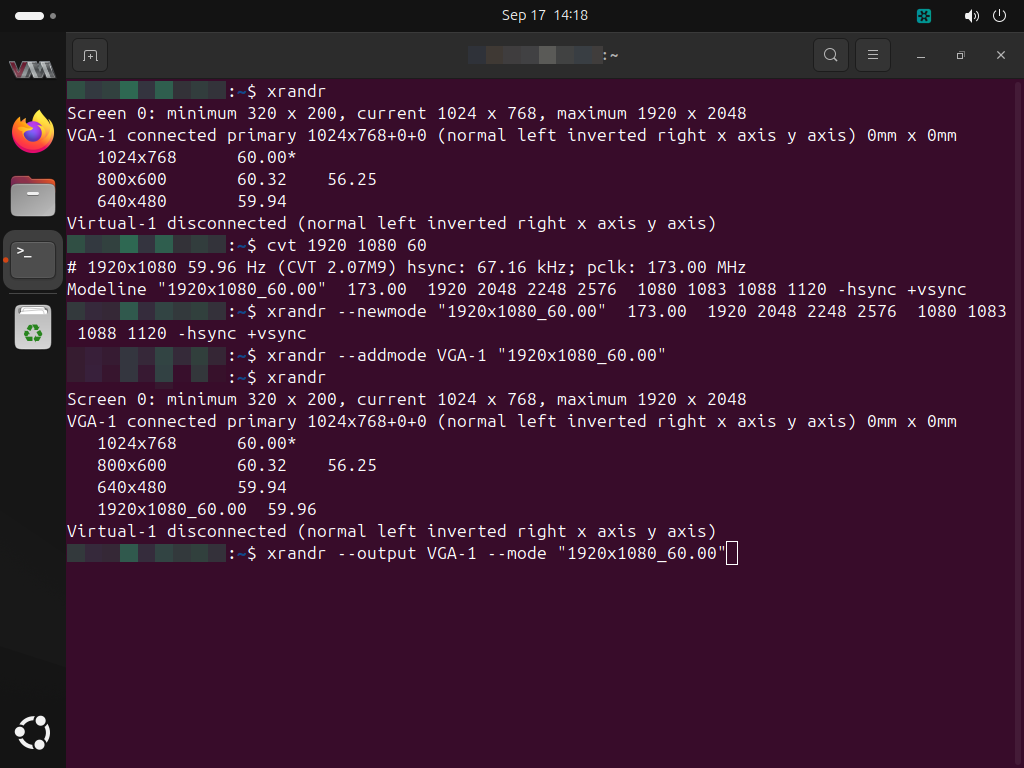
I found myself wrestling with XGA (1024×768) output on a system with only VGA output, although I was aware the display controller could get up to FHD easily (xrandr output shows the maximum “width” and “height” values surpassing that of FHD – see screenshot/s below).

I managed to wrangle the output to FHD by doing the following:

  • get existing displays and note current display
    • xrandr --listmonitors
  • get existing modes
    • xrandr
  • if adding a new mode (e.g. forcing FHD aka 1080p aka 1920×1080 on a VGA output):
    • get new mode details
      • cvt <width> <height> <refresh rate>
      • e.g. cvt 1920 1080 60
    • copy the output after the “Modeline” – this will be the input for next command
    • create the new mode
      • xrandr --newmode <text after "Modeline" from cvt output>
    • add the new mode
      • xrandr --addmode <display> <mode name>
      • e.g. xrandr --addmode VGA-1 "1920x1080_60.00"
  • change the mode
    • xrandr --output <display> --mode <mode name>

Making this stick was a completely different story in frustration…

Continue reading

update-initramfs Couldn’t Identify Root File System for fsck Hook…

Well, as the title implies, I was running update-initramfs -u on my Ubuntu installation after having (i) duplicated the SSD from another existing system, and (ii) having rebuilt a kernel driver (which then required the aforementioned update-initramfs command).

Unfortunately, the command threw back a “W: Couldn't identify type of root file system for fsck hook” error…

Continue reading

x11vnc Copy-and-Paste…

To prevent typos and OS line break-type kerfuffles, I typically copy files instead of copy-pasting any files’ contents across VNC sessions.

Somehow, I came across wanting to just copy-paste a file via a VNC session, which used to work ye long ago… But it just was not happening…

Diving into the ‘net for answers, I came across autocutsel… Although some places stated to use xstartup files, as I was using x11vnc, this was not possible, so I simply ended up creating a services file (with a dependency on the x11vnc service):

Continue reading