New NVR, (Re)new(ed) Problems…
I was trying to find out why I could not see some export controls from the NVR’s web interface, similar to this…
Turns out that, for now, I still need to use “IE Mode” in Microsoft Edge – but as the title posits, it ain’t easy (or at least, it is not just a “button click” away). Microsoft has buried Internet Explorer waaay below 6ft underground…
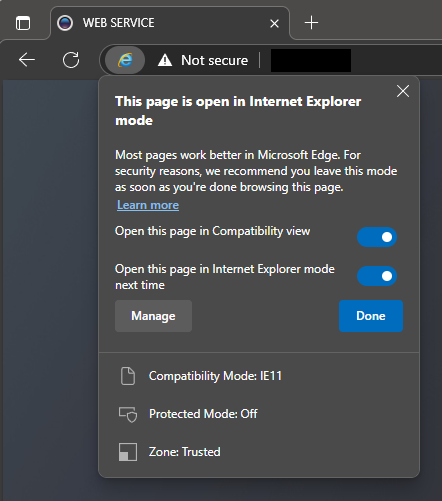
Microsoft Edge in “Internet Explorer mode”
Just in case that Microsoft link breaks, here is the rundown:
- in the address bar for Microsoft Edge, type edge://settings/defaultbrowser and then click Enter
- slide the Allow sites to be reloaded in Internet Explorer toggle to ON
- restart Microsoft Edge (cue the wind down your window, wind up your window joke from the 90’s)
- navigate to the website you want to view in Internet Explorer mode
- click the three dots in the upper right corner of the browser window
- select Reload in Internet Explorer Mode
